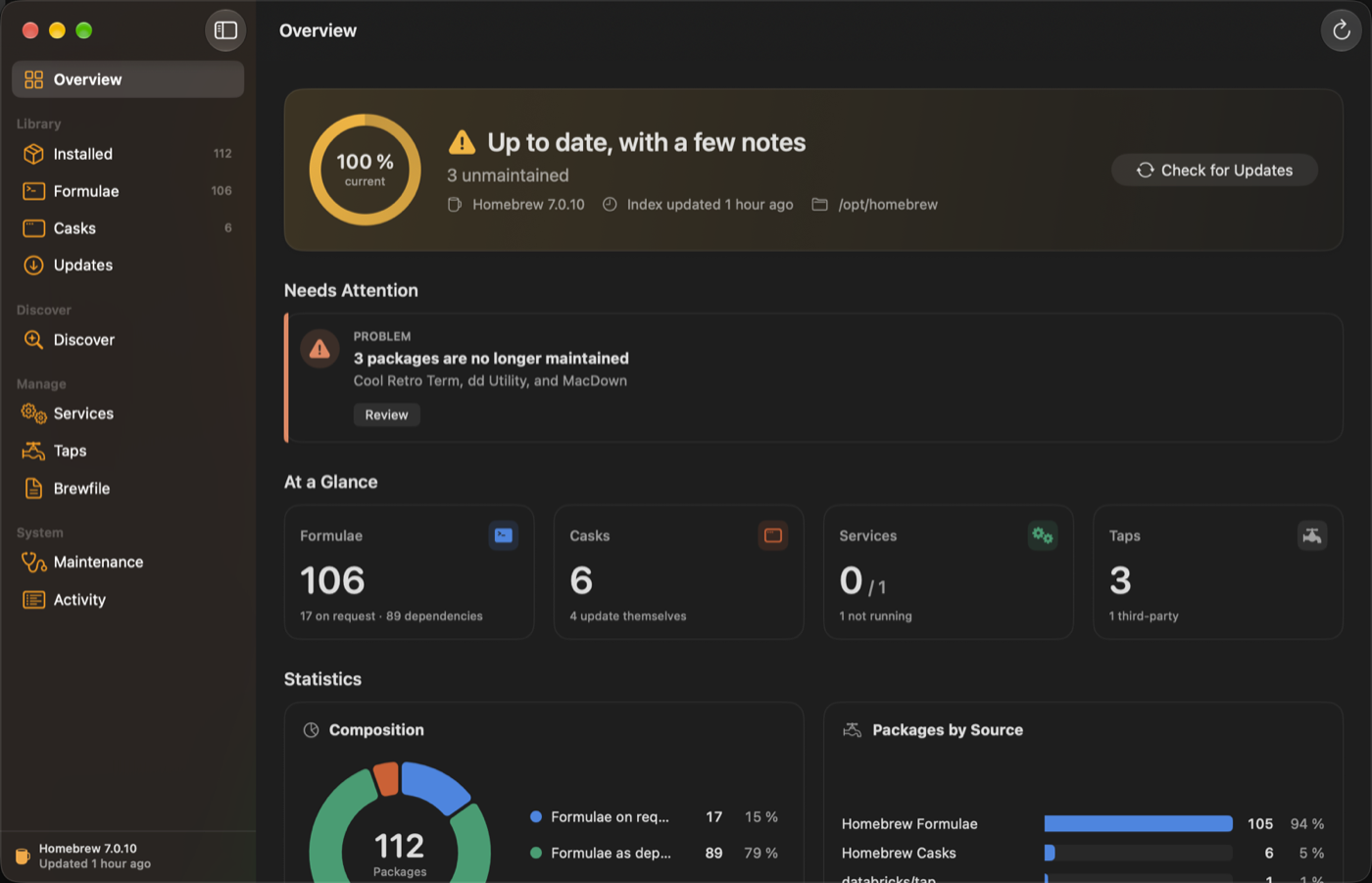
Bromehew shows everything Homebrew has installed on your Mac and keeps it up to date, without the Terminal. It is built with SwiftUI along Apple’s Human Interface Guidelines and engineered so that a graphical tool never weakens the security of your system.
Browse, upgrade, pin and remove installed formulae and casks
Find any of about 15,000 packages in the catalog and install it with one click
Services, taps, Brewfiles and brew doctor in one place
Menu bar icon with the number of available updates
No shell, validated input, only a trusted brew executable
Claude token usage, costs and limits in the menu bar
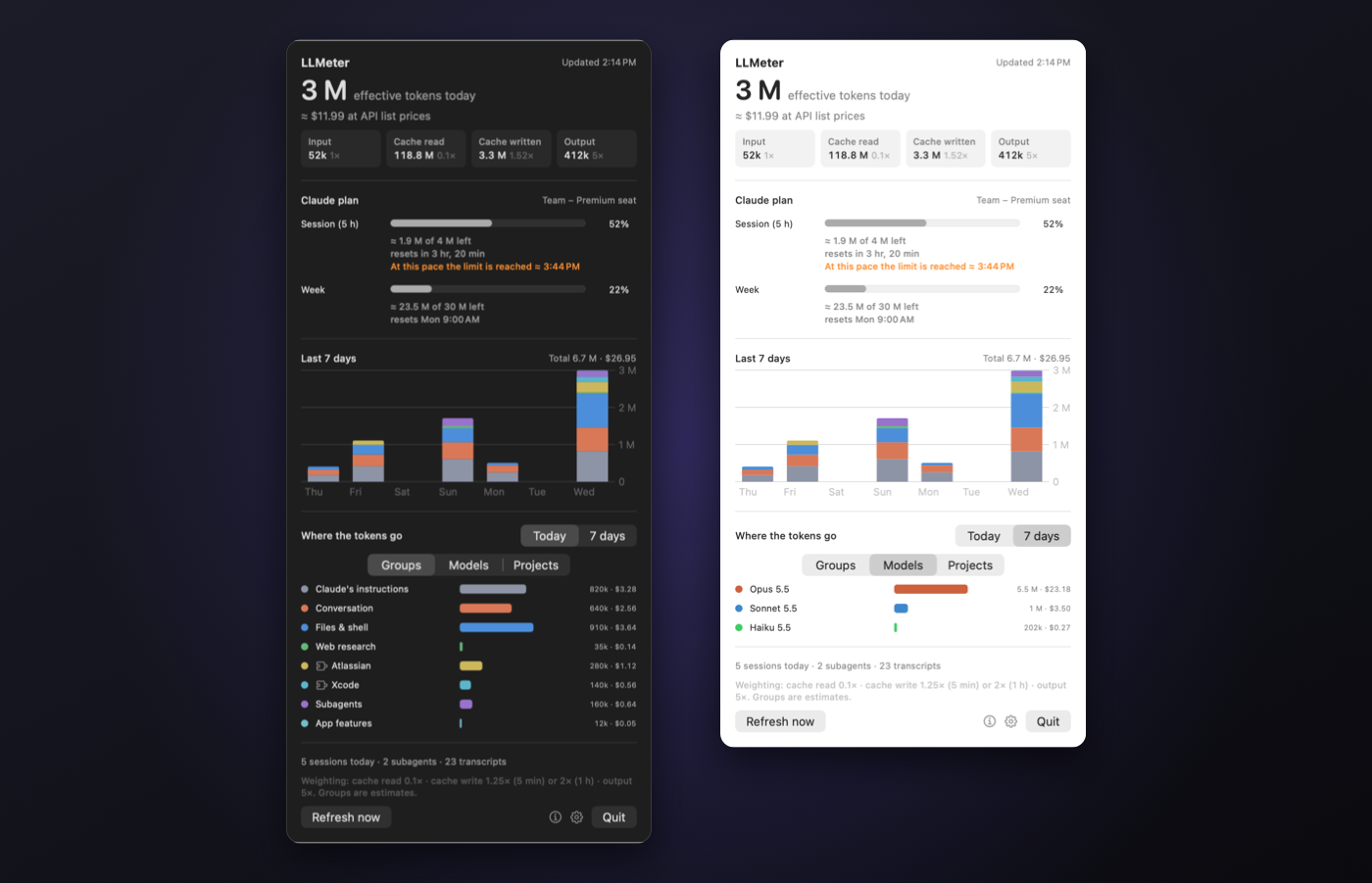
LLMeter shows in the menu bar how many tokens Claude has used today, what that would cost at the list prices of the Claude API, and how much of your plan is left. It reads the local session logs of Claude Code, in the terminal and in the Claude app. Cowork sessions run in a virtual machine and aren’t included. It needs neither an account nor an API key, and your usage data stays on your Mac.
Today’s effective tokens in the menu bar, history of the last 7 days
Estimated costs at API list prices, with the prices of each model
Your plan at a glance: five-hour window, week and monthly budget, with a forecast to the limit
Breakdown by groups, models or projects
Tells conversation, files & shell, web research, subagents and connectors apart
In English, German, French, Spanish, Italian, Japanese and Chinese
Reads only new lines and stays light in the background
By-Pass is an interactive lab for Newtonian physics. Build orbital systems with simple drag gestures and watch what gravity makes of them, from stable orbits to the chaos of the three-body problem.
Create satellites and planets with a gesture that sets their launch velocity
One, two or three suns
Live orbit preview while placing, gravity between the planets too
Procedural planets: rocky, lava, gas, ocean, icy
Own physics for suns and planets, smooth at up to 120 frames per second
Liquid Glass control dock with fast forward, screenshots and screen recording